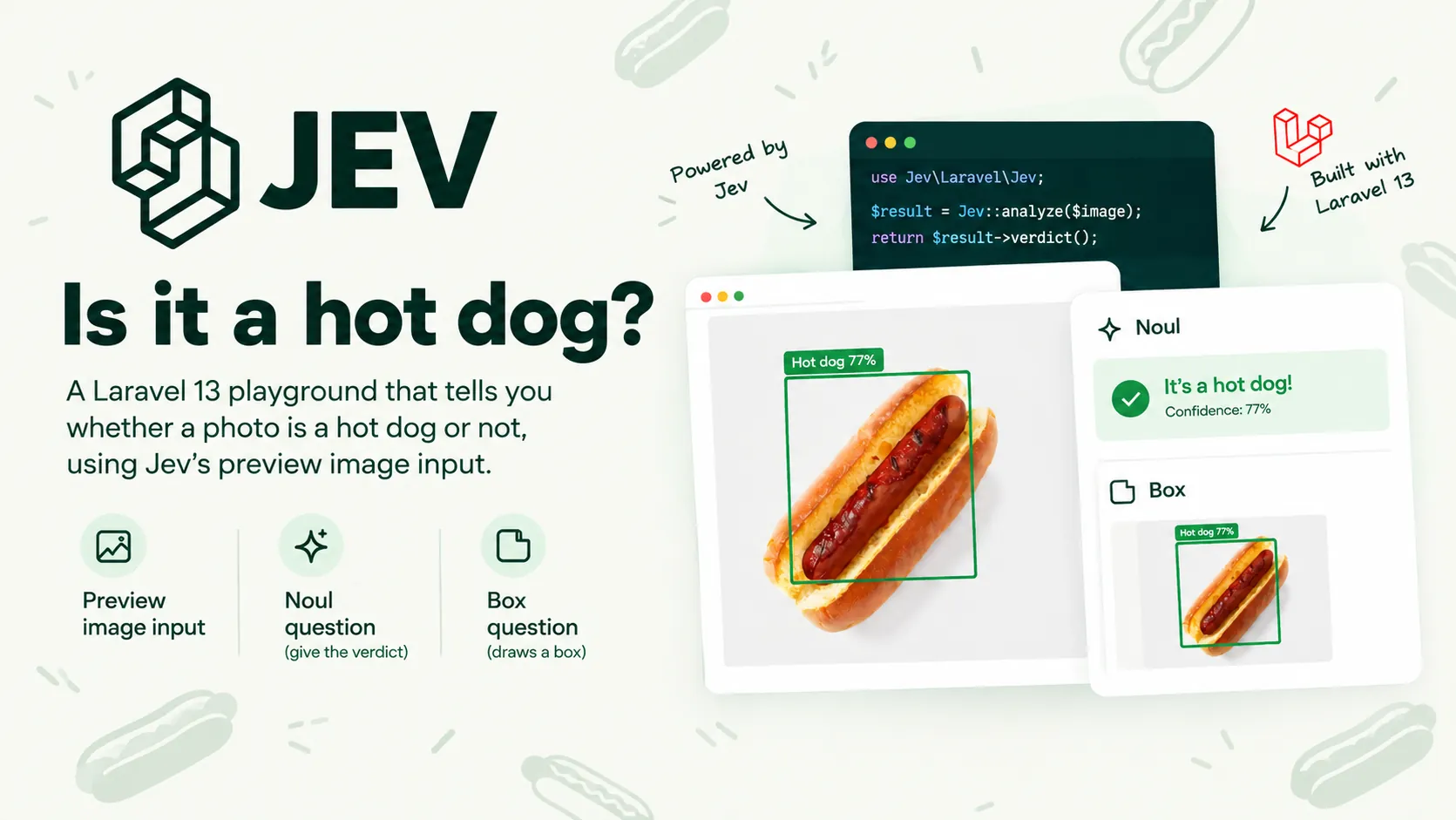
Jev 1.14 can look at pictures. When I tried Jev for exam marking it only read text, so the moment image input landed in preview I wanted the smallest useful thing I could build with it. There was only ever one candidate: the "Not Hotdog" app from Silicon Valley. Drop a photo, get HOTDOG or NOT HOTDOG, and as a bonus, a box drawn around the hot dog.
The result is Hotdog Not Hotdog, a Laravel 13 and Livewire 3 playground. The joke is small, but it turned out to be a good tour of what building on a preview vision API actually involves: choosing question types, preparing images for a strict endpoint, and being honest about what the model is and is not telling you.
Two questions, one request
Jev answers typed questions rather than writing text. For this app two of its question types matter:
- Noul: a yes or no question. The answer is the probability of yes, so 0.97 is a confident yes and 0.04 a confident no
- Box: new in 1.14. You describe something in the image and Jev returns its edges as fractions of the width and height, from the top-left
My first thought was to ask Box alone and treat "found a box" as HOTDOG. That does not work, and it is the most useful thing I learned on the project: a Box question always returns a box. Show it a dachshund and ask for the hot dog, and you get a confident-looking rectangle around the dog. Box answers "where would it be?", never "is it there?".
So the Noul question decides the verdict and the Box question only locates. Both go in the same request, because the image is billed as input tokens on every request that carries it, and output tokens are free. A second call for the box would pay for the image twice and add a round trip. Here is the payload the detector builds:
public function payload(NormalisedImage $image): array
{
    $reference = (string) Str::uuid();

    return [
        'model' => $this->model,
        'state' => ['photo' => $reference],
        'assets' => [
            $reference => [
                'type' => 'image',
                'format' => $image->format(),
                'data_base64' => $image->base64(),
            ],
        ],
        'questions' => [
            'is_hotdog' => [
                'type' => 'noul',
                'instructions' => 'Does `photo` contain a hot dog (a sausage served in a bun)?',
            ],
            'hotdog' => [
                'type' => 'box',
                'instructions' => 'the hot dog in `photo`',
            ],
        ],
    ];
}
The image travels in assets under an opaque key, and the key is referenced from state. Jev swaps the reference for the picture wherever it appears. A UUID per request keeps it from ever colliding with real text. Every image request also needs the TypeSafe-Danger-Zone-Images: true header, and the model has to be pinned to jev-preview or jev-1.14.0: at the time of writing jev-latest still points at 1.13, which is text only.
Turning a probability into a verdict
A probability of 0.52 is not a hot dog and it is not a not-hot-dog either. Rather than round it one way, the app has a third state, NOT SURE, for anything between 0.40 and 0.60. Both edges belong to the band, so exactly 0.60 is still NOT SURE. The thresholds live in config, and the mapping is plain PHP:
final readonly class ConfidenceBand
{
    public function __construct(
        public float $min,
        public float $max,
    ) {}

    public function verdictFor(float $confidence): Verdict
    {
        if ($confidence > $this->max) {
            return Verdict::Hotdog;
        }

        if ($confidence < $this->min) {
            return Verdict::NotHotdog;
        }

        return Verdict::Unsure;
    }
}
The result object then throws the box away unless the verdict is HOTDOG. There is no point drawing a rectangle around a dachshund.
One percentage on screen
Box answers carry a confidence of their own. My first design showed both numbers, and people read the second one as a hot dog score: 98% sure, but also 61%? The Box confidence measures how sure Jev is of the edges, not whether there is a hot dog. It now stays on the BoundingBox object for code and evals, and the page shows one number only.
Drawing the box
Because the edges are fractions, the overlay is just CSS percentages: top: 20%; left: 19%; width: 54%; height: 41% lines up at any display size with no JavaScript. The one catch is that the page must show the image Jev saw, not the original upload, which leads to the biggest piece of work in the project.
Preparing images for a strict API
Jev is strict about images and it rejects rather than fixes. It accepts still PNG or JPEG only, each side between 280 and 1568 pixels, within a total pixel range, and under 16 MiB. It also strips EXIF without applying the orientation, so a portrait phone photo arrives on its side. Real uploads are HEICs from iPhones, 5000px DSLR shots, WebPs, animated GIFs and the occasional 100px thumbnail.
So every upload goes through an ImageNormaliser built on Intervention Image 3 before Jev sees it:
- sniff the real type from the bytes, not the file extension
- refuse anything over 50 megapixels from the header alone, before decoding, because decoding costs about 4 bytes per pixel
- rotate upright from EXIF, then strip all metadata
- keep the first frame of an animation and flatten transparency onto white
- fit each side into 280 to 1568 pixels and re-encode as baseline JPEG
The sizing has one awkward case. A very long, thin image, say a 4000 by 300 panorama, cannot satisfy both limits by scaling: shrink the long side to 1568 and the short side drops below 280. The normaliser keeps the downscale and pads the short side with white instead:
public static function targetSize(int $width, int $height): array
{
    $long = max($width, $height);
    $short = min($width, $height);

    $scale = min(1.0, self::MAX_SIDE / $long);

    if ($short * $scale < self::MIN_SIDE && $long * (self::MIN_SIDE / $short) <= self::MAX_SIDE) {
        $scale = self::MIN_SIDE / $short;
    }

    $targetWidth = max(1, min(self::MAX_SIDE, (int) round($width * $scale)));
    $targetHeight = max(1, min(self::MAX_SIDE, (int) round($height * $scale)));

    return [
        $targetWidth,
        $targetHeight,
        max($targetWidth, self::MIN_SIDE),
        max($targetHeight, self::MIN_SIDE),
    ];
}
That padding is exactly why the page displays the normalised image. The box fractions are relative to the padded canvas, so drawing them over the original photo would put the box in the wrong place.
Upload limits live in three places
A phone photo is often 4 to 8 MB, and PHP's default upload limit is 2 MB. In a Livewire app the limit is set in three places: PHP itself, Livewire's temporary upload rule, and the component's own validation. The composer scripts load a small php.d/uploads.ini so composer serve accepts 20 MB, the page advertises the smallest of the three limits, and the friendly error messages live in lang/en/validation.php because Livewire validates uploads before the component ever sees them.
A thin client, a fake, and an eval
No SDK
Nine PHP clients for Jev were on Packagist when I started. Only one supported images and Box, and it sends requests through its own Guzzle instance, which means Laravel's Http::fake() cannot intercept them. The app needs one endpoint and two question types, so JevClient is about 120 lines on Laravel's HTTP client. It sends the preview header on every call, retries only 429 and 529 responses, and maps every failure to a message that is safe to show on screen and never contains the key.
Fake mode by default
A HotdogDetector interface has two implementations, and JEV_FAKE picks one in the service provider. The fake reads expected answers for the bundled sample photos and hashes anything else into a stable confidence and box. That means a fresh clone works with no key, CI runs with no secrets, and no photo leaves your machine until you choose to send it.
Measuring it
php artisan hotdog:eval runs every sample photo through the same normaliser and detector as the app and scores the result. The samples are CC0 and public domain images from Wikimedia Commons, split into easy cases and tricky ones: a bratwurst with no bun, a corn dog, a sausage roll, a dachshund.
Against live Jev 1.14 it scores 12 out of 13. Every easy photo is right. The one miss is a sausage roll cut open so it looks like a sausage in bread, at 66%, just over the line into HOTDOG. Honestly, I can see why. In fake mode the score is always 100%, because the fake reads the answers, but CI still runs it with --min=100: it proves every committed photo loads, converts and travels through the whole pipeline.
What I would tell someone building on a vision preview
- check what a locating question returns when the thing is absent. If it always answers, you need a separate yes or no question to decide
- ask everything about one image in one request when the image is billed as input on every call
- give "not sure" a real place in the UI rather than rounding it away
- normalise before you send: orientation, format, size and padding are your job, not the API's
- show the user the image the model saw, especially if you draw anything over it
- pin the model version, and keep a small golden set so an upgrade is a measured change rather than a surprise
Image input in Jev is still a preview, and TypeSafe describe it as "dreamer-ready" rather than production-ready, so formats and limits may change. The patterns here will not: decide with one question, locate with another, and treat every image as hostile until it has been converted.
The code, sample photos and terminal recordings are on GitHub, and it runs in fake mode straight after composer install. If you are adding image classification or a vision model to a Laravel app and want a second pair of eyes on the design, get in touch via the contact section.